by Brooklyn May 05,2025
何年も経っても、Minecraftはサンドボックスゲームの世界で最高の支配を続けています。その無限の旅、ダイナミックな世界生成、堅牢なマルチプレイヤーモードは、創造性の無限の機会を提供します。最初のステップに飛び込み、Minecraftの冒険を始めましょう。
コンテンツの表---
Minecraft Journeyを開始するには、Microsoftアカウントを作成する必要があります。これは、ゲームにログインするために不可欠です。公式のMinecraft Webサイトにアクセスして、右上隅の「サインイン」ボタンを見つけます。それをクリックすると、[承認ウィンドウが表示されたら、新しいアカウントを作成するオプションを選択します。
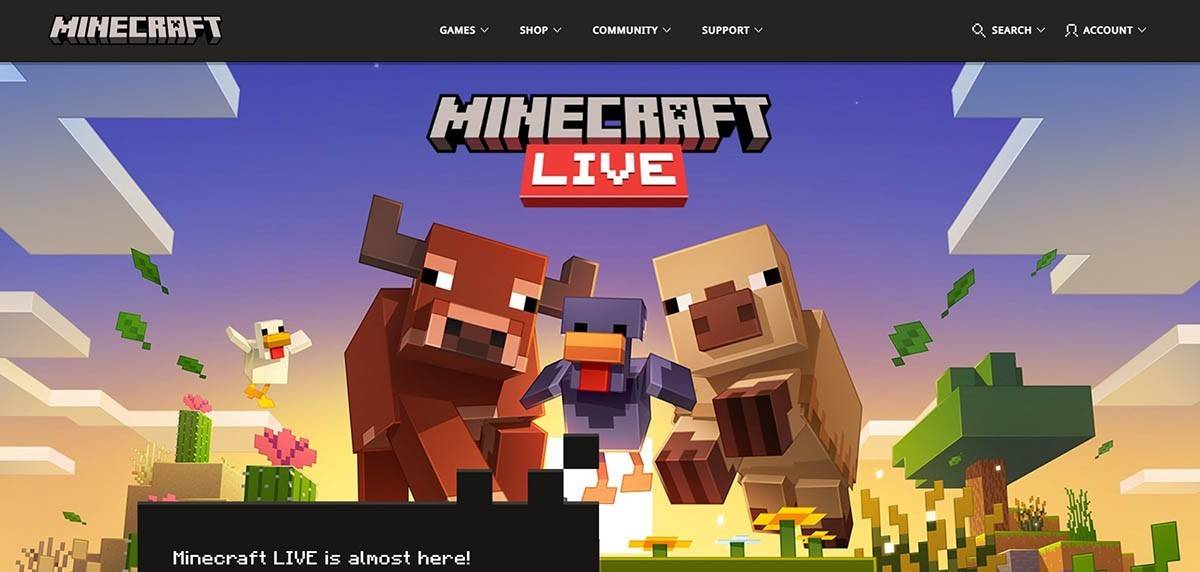
画像:minecraft.net
メールアドレスを入力し、Minecraftアカウントの強力なパスワードを考案してください。一意のユーザー名を選択します。すでに撮影されている場合、システムは代替手段を見つけるのに役立ちます。
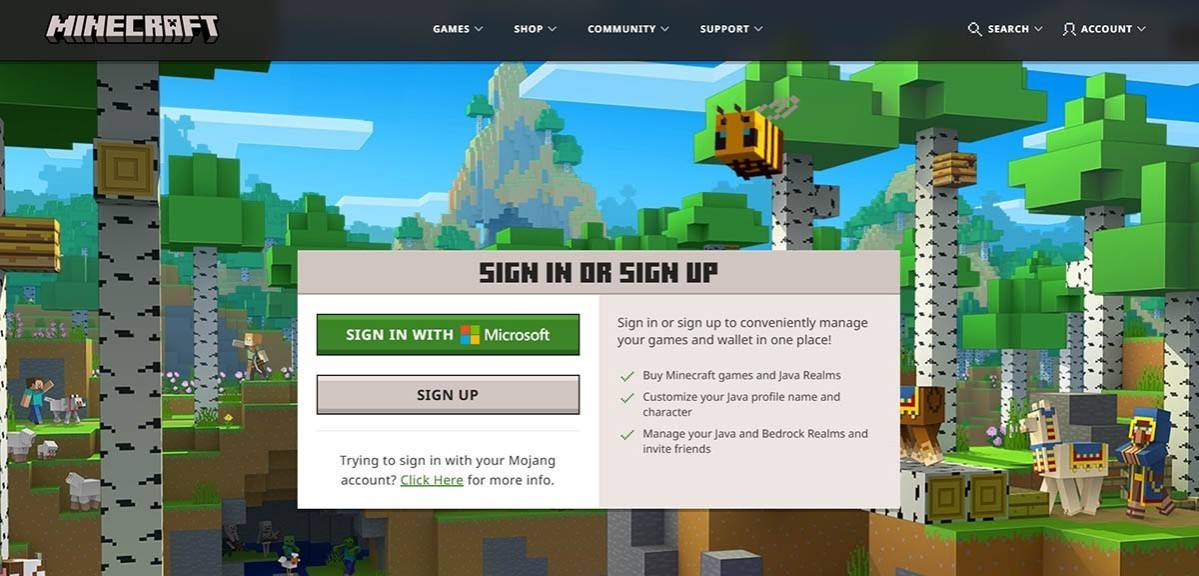
画像:minecraft.net
アカウントを設定した後、受信トレイに送信された確認コードを入力して、メールアドレスを確認します。すぐに表示されない場合は、必ず「スパム」フォルダーを確認してください。
検証されると、プロファイルはMicrosoftアカウントにリンクされます。まだ行っていない場合は、ゲームを購入できるようになりました。ウェブサイトのストアセクションに移動し、希望バージョンを選択し、指示に従って購入を完了します。
PCプレーヤーの場合、MinecraftにはJava EditionとBedrock Editionの2つの主要なバージョンがあります。 Java Editionは、Windows、MacOS、Linuxと互換性があり、公式のMinecraft Webサイトから直接ダウンロードできます。ランチャーをインストールした後、MicrosoftまたはMojangアカウントでログインし、起動するゲームのバージョンを選択します。
画像:aiophotoz.com
最初の起動時に、Microsoftアカウントの資格情報でログインするように求められます。ソロをプレイしている場合は、「Create New World」オプションを選択してください。これにより、世界設定メニューが開き、クラシックチャレンジの「サバイバル」モードと無制限のリソースの「クリエイティブ」モードを決定できます。
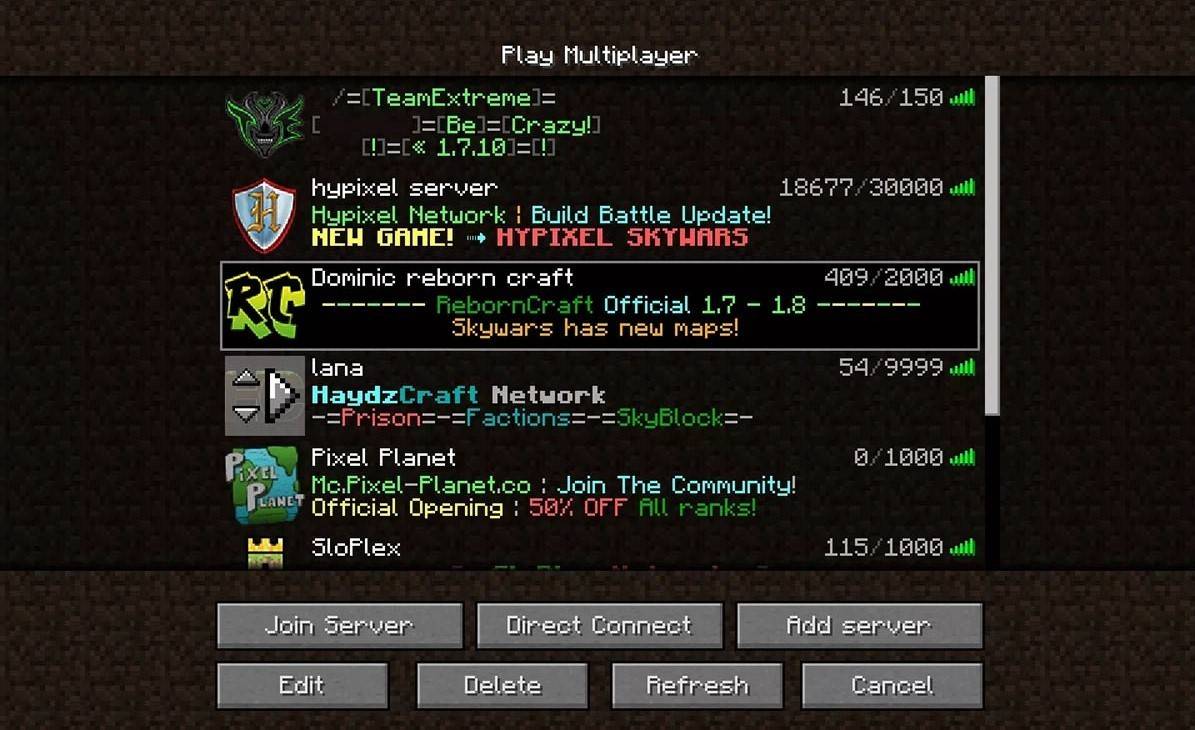
マルチプレイヤーを楽しむには、メインメニューの「再生」セクションに移動し、[サーバー]タブに移動します。ここでは、IPアドレスを入力して、パブリックサーバーに参加するか、プライベートサーバーに接続できます。友達と遊ぶ、世界を作成またはロードし、設定に移動し、マルチプレイヤー機能を有効にします。
画像:YouTube.com
Xboxコンソール(Xbox 360、Xbox One、Xbox Series X/S)で、MicrosoftストアからMinecraftをダウンロードします。インストールしたら、ホーム画面から起動し、Microsoftアカウントでログインして、成果と購入を同期します。
PlayStationユーザー(PS3、PS4、PS5)の場合、PlayStationストアを介してMinecraftを取得できます。インストール後、ホーム画面から起動し、Microsoftアカウントでログインして、クロスプラットフォームのプレイを有効にします。
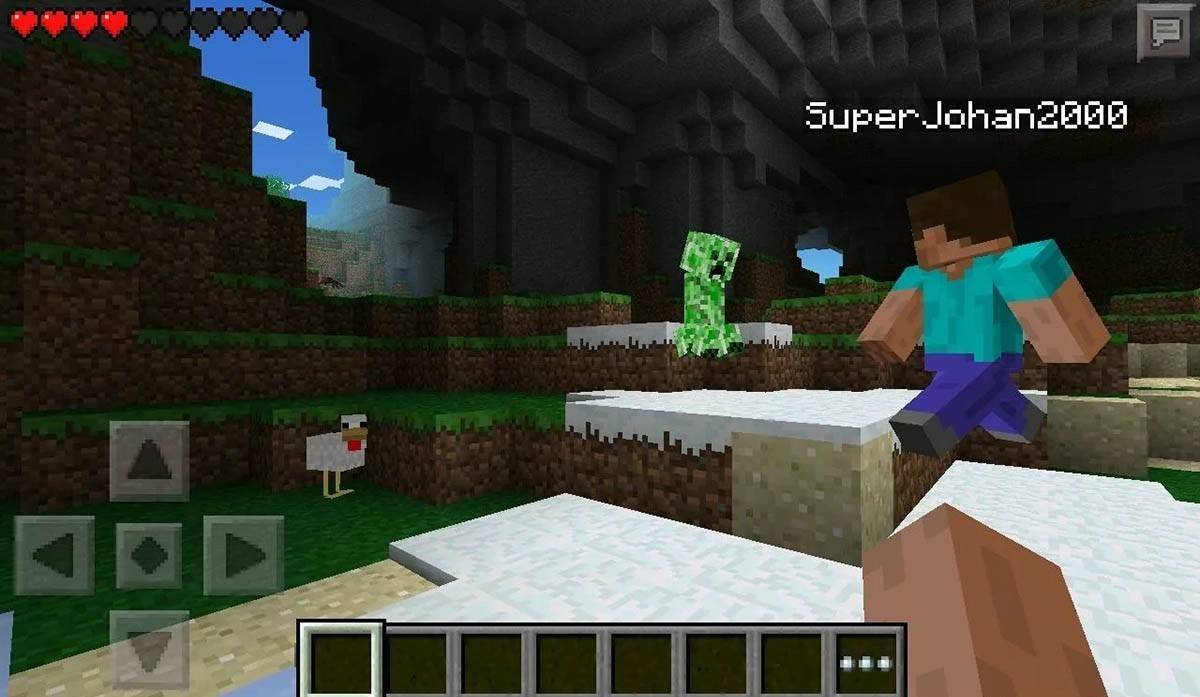
Minecraftは、iOS用のApp StoreおよびAndroid用のGoogle Playで購入できます。インストール後、Microsoftアカウントにログインして再生を開始します。モバイルバージョンは、他のデバイスでのクロスプラットフォームプレイもサポートしています。
画像:Storage.GoogLeapis.com
Bedrock Editionは、プラットフォームに関係なくプレーヤーを統合し、言及されたすべてのデバイスでクロスプラットフォームのプレイを促進することに注意してください。ただし、Java EditionはPC専用であり、クロスプラットフォームのプレイをサポートしていません。
Minecraftの開始はプラットフォームによって異なりますが、Bedrock Editionのクロスプラットフォーム機能のおかげで、さまざまなデバイスで友人と協力的なゲームプレイを楽しむことができます。
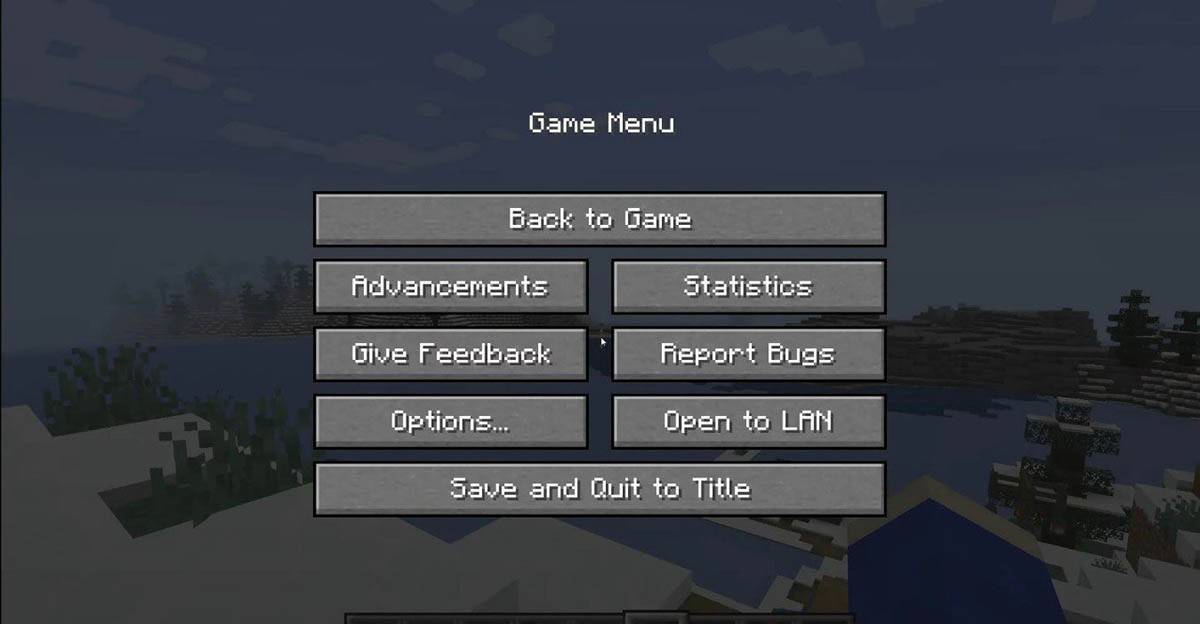
ゲームを終了するには、メニューをナビゲートします。 PCで、ESCキーを押してゲームメニューを開き、[保存と終了]ボタンをクリックします。これにより、プログラムを完全に閉じることができるメインメニューに戻ります。
画像:tlauncher.org
コンソールで、適切なゲームパッドボタンを使用して一時停止メニューにアクセスし、「保存と終了」を選択してセッションを終了します。ゲームを完全に閉じるには、「ホーム」ボタンを押し、ゲームを選択し、終了することを選択して、コンソールのメニューを使用します。
モバイルデバイスの場合、「保存と終了」オプションはゲームメニューにあります。アプリを完全に閉じるには、デバイスのシステムメニューを使用してください。 Androidでは、下からスワイプして実行中のアプリにアクセスし、Minecraftを閉じます。 iOSでは、「ホーム」ボタンをダブルプレスするか、スワイプしてアプリを閉じます。
基本を備えているので、ソロをプレイしていても、さまざまなデバイスで友達と一緒にプレイしているかどうかにかかわらず、Minecraftのブロック状の世界では、無限の楽しくてエキサイティングな発見を願っています。
ポケモンTCGポケット:麻痺、説明(および「麻痺」能力を持つすべてのカード)
モバイル レジェンド: 2025 年 1 月の引き換えコードがリリースされました
Android のアクション-ディフェンス
GWENT:2025年のトップ5デッキ - 戦略が明らかになりました
残忍なハック アンド スラッシュ プラットフォーマー Blasphemous がモバイルに登場、事前登録が開始
PokémonTCGポケットは、取引機能と時空スマックダウン拡張をまもなくドロップしています
神話の島がポケモンTCGに登場、時間が明らかに
Marvel Rivals が新しいミッドタウンのマップを紹介
It sounds like you're referencing a dramatic or intense phrase — "Havoc" — possibly from a quote, story, or emotional moment. Could you clarify what you'd like help with? For example: Are you looking for a quote or line that includes "Havoc"? Do you want to explore the meaning of "havoc" in a literary, emotional, or philosophical context? Are you writing something (a story, poem, or message) and want to expand on the idea of chaos or destruction? Let me know how I can assist — I'm here to help you turn that intensity into something powerful.
Mar 16,2026
As of now, there is no official information confirming a "Tier 15 Update" for Apex Legends, and there is no known update titled "Apex Legends Tier 15 Update" in the game's history. It's possible there may be confusion with: Tier 15 referring to rank progression in the game’s ranked mode (such as in the 2023–2024 seasons), where players can reach the 15th rank in a tier (e.g., Apex Predator, Titan, etc.). However, Apex Legends currently uses a tiered rank system that goes up to Titan 1, not "Tier 15" as a standalone update. A content update that may have been mislabeled as "Tier 15 Update." The game's major updates are typically named after events, legends, or seasons (e.g., Season 12: "Revelations," Season 13: "Reclaimed," Season 14: "Convergence," Season 15: "Breakout"). So, to clarify: ✅ Apex Legends Season 15, officially titled "Breakout", launched in June 2024 and introduced: New Legend: Reyna (already released, but major rework and presence in this season) New map: Frost (a winter-themed map in the map rotation) New gameplay modes: Breakout (a 3v3 objective-based mode) New gameplay mechanics: including Sprint-O-Vision and updated PvE-style gameplay elements. If you meant the Season 15 update, it was indeed a major update and marked a significant shift in the game's direction with new modes and gameplay. ❌ There is no official "Tier 15 Update" as a separate event. For the most accurate and up-to-date information, always refer to the official Apex Legends website or social media channels (like @ApexLegends on Twitter/X). Let me know if you meant something different—like a specific patch, map, or mode!
Mar 11,2026
As of now, there is no official confirmation from NetEase or reliable gaming sources about a game titled Racing Master being launched on Android in South America. NetEase is known for publishing and developing popular mobile games such as Genshin Impact, Knives Out, and Final Fantasy XI (in collaboration), but no evidence supports the release of a game called Racing Master in that region. It's possible there may be confusion with another game, a regional beta, or a rumor. For accurate and up-to-date information, it's recommended to check NetEase's official website, their social media channels, or trusted gaming news platforms like IGN, GameSpot, or APKPure. Always verify game releases through official sources to avoid misinformation.
Mar 10,2026
Yes, The Elder Scrolls IV: Oblivion Remastered includes the iconic line flub from the original game — the infamous mispronunciation of "Oblivion" by the character Martin Septim (voiced by actor Michael Hinsdale). In the original 2006 release, when Martin says, "I am the... [pause] ...Oblivion," he hesitates and stutters slightly, and the line sounds awkward and unintentionally humorous to many players. This moment became a beloved meme in the Elder Scrolls community, often referenced and parodied across the internet. The Oblivion Remastered version, released in 2024 as part of the The Elder Scrolls 25th Anniversary celebration, faithfully preserves this line — including the flub — as a nod to the original game's charm and legacy. Bethesda intentionally kept it unchanged, recognizing its status as a cult classic moment. It's a small but meaningful detail that reminds fans of the game’s enduring cultural impact. So yes — the flub is still there, and it's just as endearing (or awkward) as ever.
Mar 08,2026
噂:ナウティ・ドッグの次作は、フロム・ソフトウェアのゲームに似ている可能性
Mar 08,2026