안녕하세요! 아래는 제공해주신 내용을 한국어로 번역한 결과입니다:
The ideal tool for measuring eyebrow symmetry in your designs.
디자인에서 눈썹 대칭을 측정하기 위한 이상적인 도구입니다.
Created specifically for microblading and micropigmentation professionals.
마이크로블레이딩 및 마이크로피그멘테이션 전문가를 위해 특별히 제작되었습니다.
This application is incredibly simple to use, requiring just six easy steps:
이 애플리케이션은 매우 사용하기 쉬우며, 단 여섯 가지 간단한 단계만 필요합니다:
Step 1: Launch the application.
단계 1: 애플리케이션 실행하기
To open the app, tap the BeautyPro Symmetry App International icon on your device's screen.
앱을 열려면 기기의 화면에서 'BeautyPro 대칭 앱 국제' 아이콘을 탭하세요.
Step 2: Align the client's face on screen.
단계 2: 클라이언트의 얼굴을 화면에 맞추기
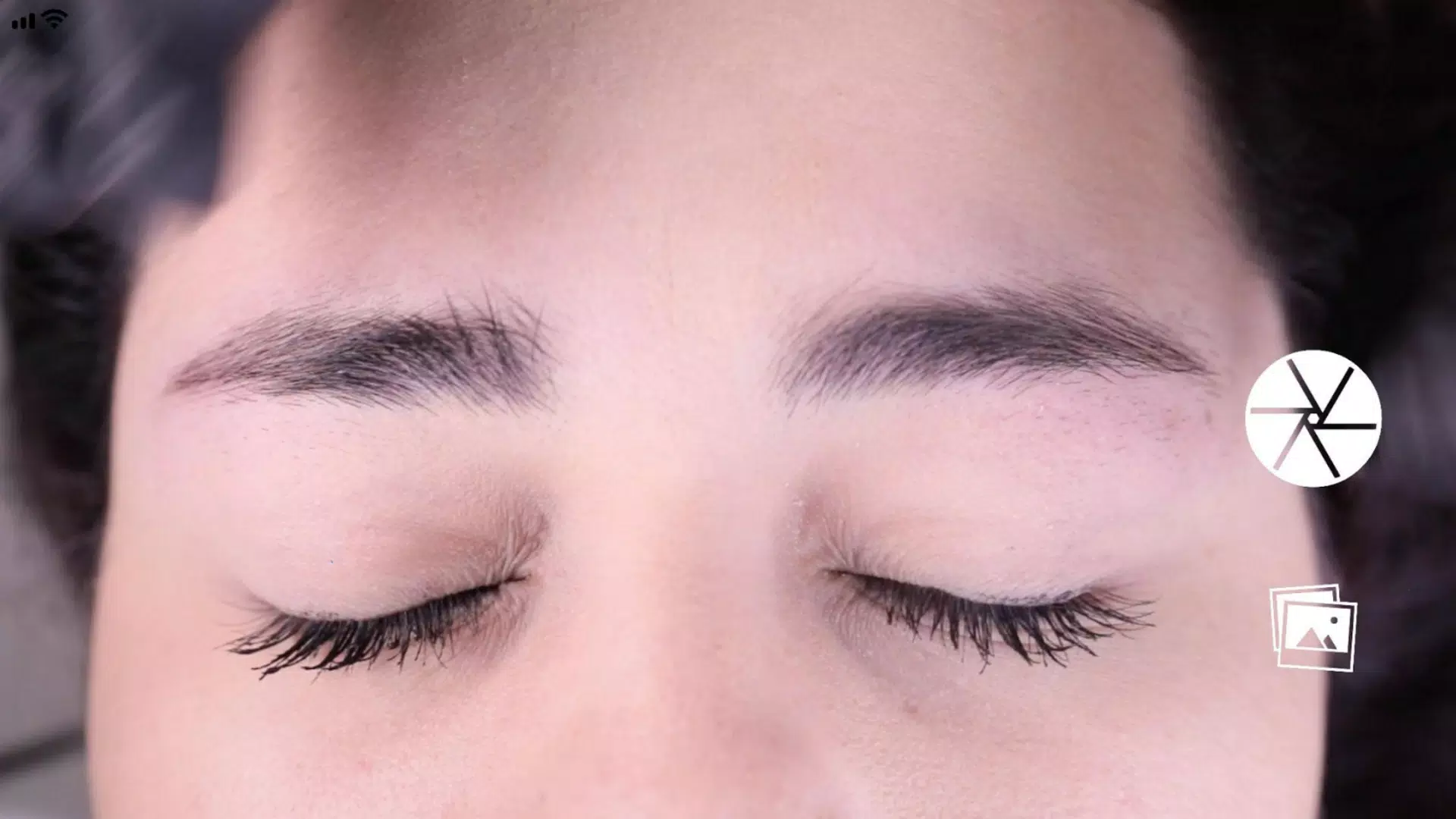
First, hold your phone horizontally and frame the face using the two horizontal lines, positioning them on the upper arches of the eyebrows (point 2). Align the central vertical line with the previously marked center line of the nose bridge.
먼저 휴대폰을 가로로 들고 두 개의 수평선을 사용하여 얼굴의 프레임을 잡으세요. 이 선들을 눈썹의 윗 아치(점 2)에 위치시키고, 중앙의 세로선을 이전에 표시된 코 등뼈 중심선과 맞추세요.
Step 3: Capture the image.
단계 3: 이미지 캡처하기
With the face centered as described in step 2, take the picture using the button located in the center-right area of the screen.
단계 2에서 설명한 대로 얼굴을 중앙에 맞춘 후, 화면의 오른쪽 중간 부분에 있는 버튼을 사용하여 사진을 찍으세요.
Step 4: Use the "Grid" function.
단계 4: '그리드' 기능 사용하기
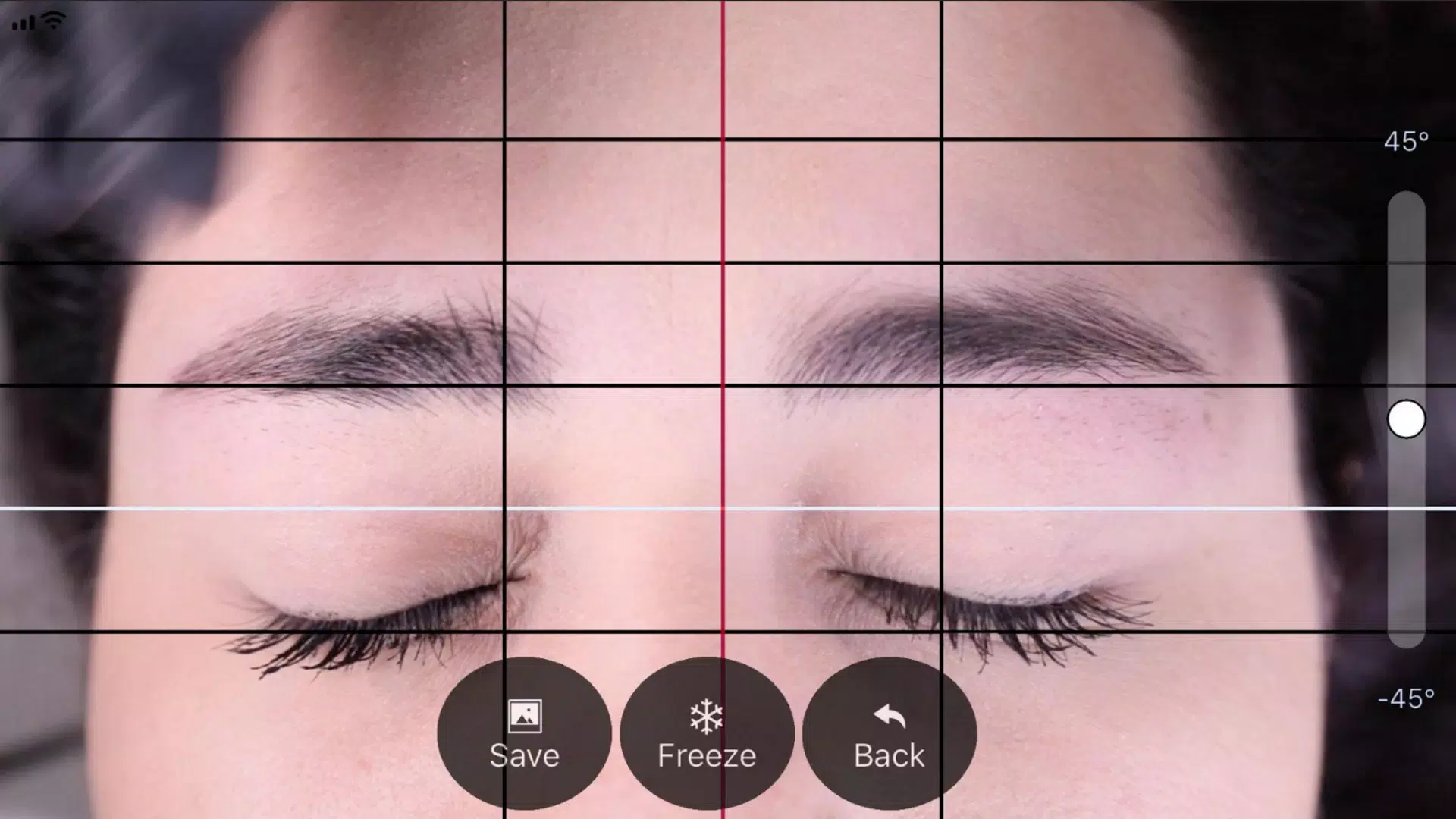
Immediately after capturing the image, the photo will appear with four black horizontal lines and one white line. You can adjust and lock these lines by activating the "Grid" function via its dedicated button.
이미지를 캡처한 직후에는 사진이 네 개의 검은색 수평선과 하나의 흰색 선과 함께 나타납니다. 전용 버튼을 통해 '그리드' 기능을 활성화하여 이러한 선들을 조정하고 고정할 수 있습니다.
Step 5: Adjust the vertical lines.
단계 5: 세로선 조정하기
Similarly, you can adjust the vertical lines in the "Grid," which consist of a central red line and two black side lines. The position of the black lines depends on the red vertical line. Position this center line on the marked center of the nose bridge, and use the black lines to define the spacing between the starting points of the eyebrows.
마찬가지로 '그리드'의 세로선(중앙 빨간색 선과 두 개의 검은색 옆선으로 구성됨)을 조정할 수 있습니다. 검은색 선의 위치는 빨간색 세로선에 따라 달라집니다. 이 중심선을 코 등뼈의 표시된 중앙에 맞추고, 검은색 선들을 사용하여 눈썹 시작점 사이의 간격을 정의하세요.
Step 6: Adjust Level and Zoom.
단계 6: 레벨과 줌 조정하기
If needed, you can adjust the captured image in two ways: rotate it to level the image by sliding the control up or down on the right side of the screen, or zoom in using a two-finger pinch gesture.
필요한 경우 다음 두 가지 방법으로 캡처된 이미지를 조정할 수 있습니다: 화면 오른쪽에서 컨트롤을 위아래로 슬라이드하여 이미지를 회전시켜 레벨을 맞추거나, 두 손가락 핀치 제스처를 사용하여 확대합니다.
Step 7: Once the lines are correctly positioned at the specified points, you can save the image to your device's photo library by pressing the "SAVE" button. To discard the current image and start over, press the "BACK" button.
단계 7: 선들이 지정된 위치에 올바르게 배치되면 '저장' 버튼을 눌러 이미지를 기기의 사진 라이브러리에 저장할 수 있습니다. 현재 이미지를 삭제하고 처음부터 다시 시작하려면 '뒤로가기' 버튼을 누르세요.

 다운로드
다운로드
 범주
범주 












매력적인 단어 게임 모음으로 마음에 도전하십시오! 크로스 워드 퍼즐 탐색기 및 러시아어로 된 크로스 워드와 같은 고전적인 크로스 워드 퍼즐, 단어 검색 블록 퍼즐 게임 및 단어 검색 자연과 같은 전략적 단어 검색, 단어 샐러드, 단어 정렬 : 단어 연관성 : Crossword Adventure와 같은 독특한 단어 게임을 즐기 든, 우리는 모든 사람을위한 것입니다. 단어 철자법으로 철자 기술을 테스트하거나 암 하리어 단어 찾기 -ቃላት አግኝ 및 думи -на лов로 어휘를 확장하십시오. 오늘 새로운 좋아하는 단어 게임을 발견하십시오! 다운로드 단어 검색 블록 퍼즐 게임, 크로스 워드 퍼즐 탐색기, 단어 철자, amharic 단어 찾기 - ቃላት አግኝ, 단어 샐러드, 러시아어의 크로스 워드, 단어 정렬 : 단어 연관성, 단어 줄 : думи -на лов 및 Word Search Narder!
Word Search Block Puzzle Game
Word Spelling - Spelling Game
Думи - на лов
Word Salad
Amharic Word Find - ቃላት አግኝ
Crosswords in Russian language
Word Search Nature Puzzle Game